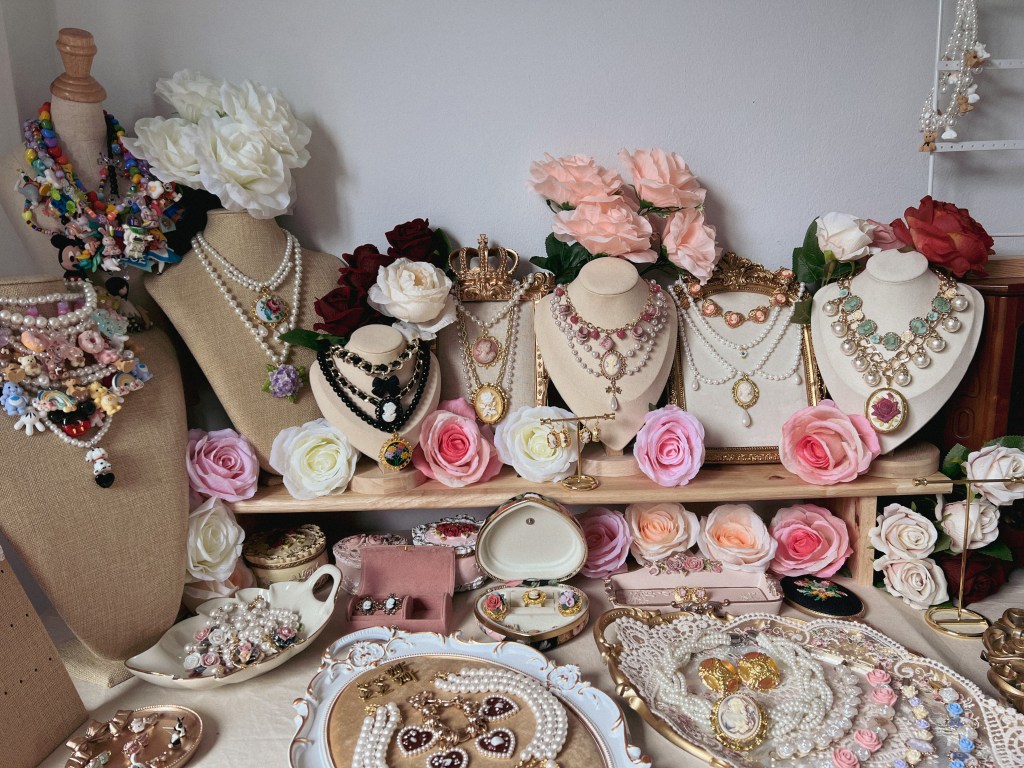
When I started Inthira27.Studio in 2022, my small aesthetic accessory shop, I wanted to bring a new life to vintage jewelry. I collect unique vintage pieces e.g, mismatched earrings, pendants, or rings and mix them with some modern materials like chains, beads, ropes, and other elements—to make them lively and appealing again. I also offer original vintage accessories and cutie-style pieces to create variety of products in my shop.
and my main selling platform? —It’s Instagram Live.
The Instagram Live Selling Process
Live selling is fun, but it’s also hectic.
Here’s how it works: I show an item on the screen, inform the product details, and if a customer wants it, they need to comment their name along with the price of the item. The first comment which gets pinned, have the right to buy that item. While it’s exciting, keeping track of sales during a 4-5 hours live broadcast can be chaotic.
At the end of each session, I and my admin had to manually summarize bills for each customer. It’s a time-consuming process that also delayed packing and shipping. With sales ranging around 50-70K per live, efficiency was critical. The quicker we send bills to customers, the sooner we receive the payment.
Fixing the Chaos with Data Skills
There must be something that can be a game changer for this chaos, but I don’t want to spend money on any live order management software.
That was when I realized I could use my limited knowledge of data and dashboards to solve this problem. Here’s what I did:
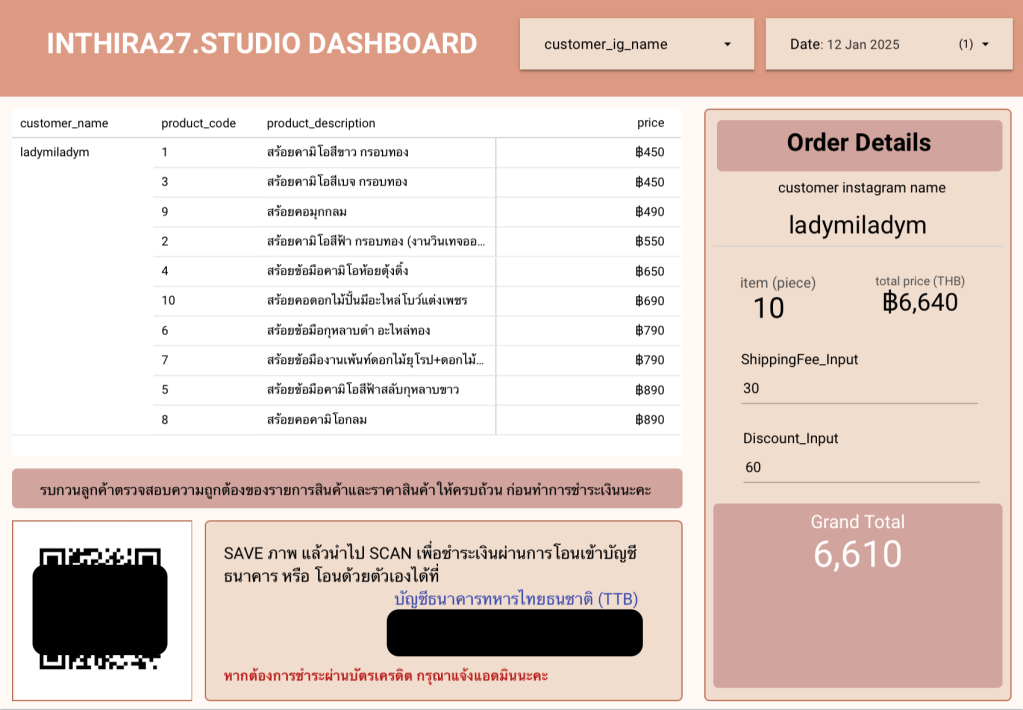
- Created a Simple Google Sheet: While I’m hosting the live, my admin updates the sheet in real-time by adding the buyer’s name, and product number for every sale.
- Built a Looker Studio Dashboard: I connected the data to Looker Studio to generate an instant summary of each customer’s total bill. By the time the live ended, I could take a quick screenshot of their bill and send it to them directly.
I also include the payment QR code to ensure that it’s easy for customers to complete their payment quickly.
This saved hours of manual work and sped up the packing process.
Taking the Dashboard to the Next Level
As I got more comfortable with data tools, I enhanced the dashboard to include more features:
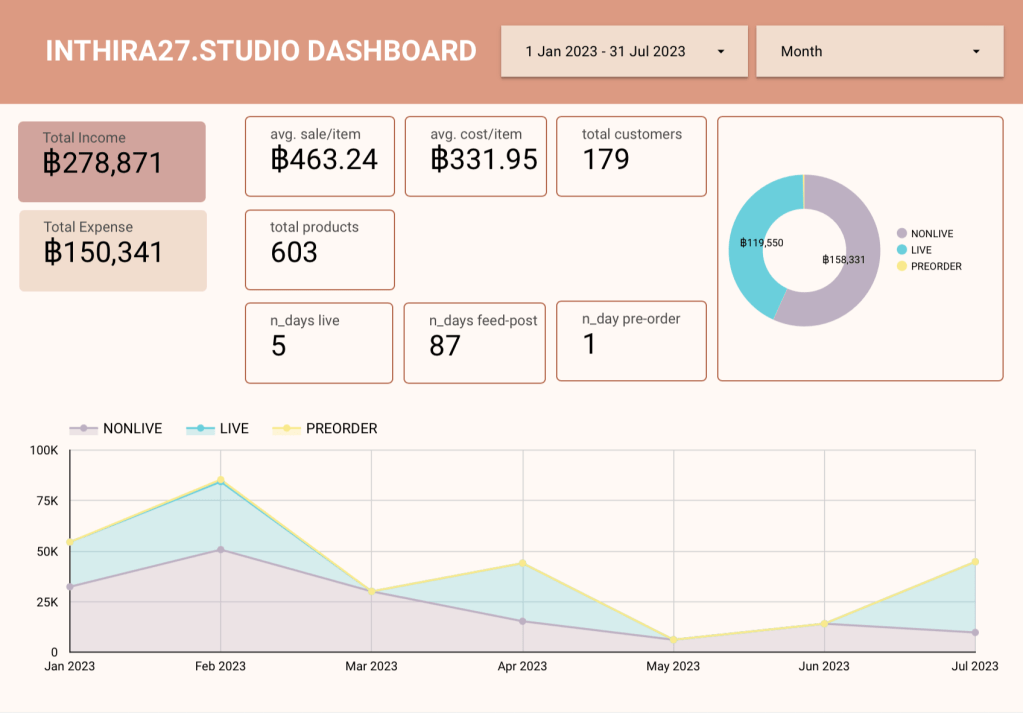
- Monthly/Yearly Sales Analysis: I can now see total sales broken down by time period and selling channel (live, feed posts, etc.).
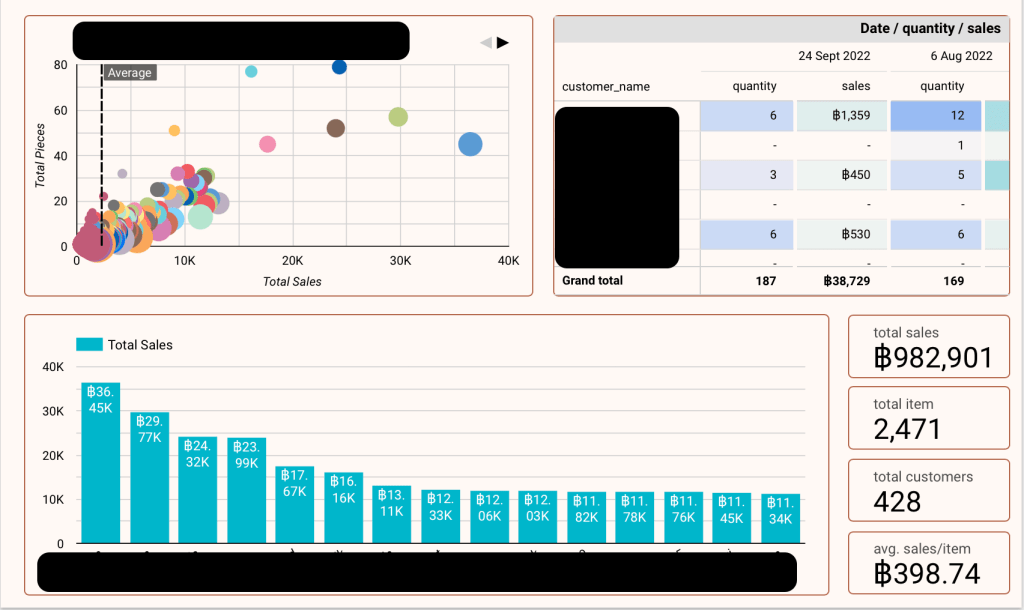
- Basket Size Insights: Using a scatter plot chart, I can analyze customer purchasing behaviors, helping me decide how to set prices and curate products for my shop.
- Some people buy small quantities of higher-priced items.
- Some buy large quantities of lower-priced items.
- Income vs. Expense Tracking: I added income and expense tracking to identify areas to reduce costs and improve profit margins.
The Results and Lessons Learned
This experience taught me how valuable data can be, even for a (very) small business. By leveraging simple (and free !) tools like Google Sheets and Looker Studio, I was able to:
- Simplify the sales process.
- Gain deeper insights into customer behavior.
- Optimize costs and increase profitability.
Running Inthira27.Studio has been an exciting journey, blending creativity with problem-solving. It’s taught me that even a small business can benefit from applying data skills to streamline processes and make more-efficient decisions.
If you’re a small business owner or thinking of starting one, I encourage you to explore how data tools can help you grow and stay organized.
And if you love vintage-inspired accessories, feel free to check out my shop! 😀


 Intera Phongsawat